
If you are comparing the best smart overview checker options, your goal is straightforward: pick a tool that shows when your pages appear in overview-style search results, how often they show up, and how that visibility changes over time. The right platform helps you replace guesswork with consistent monitoring, while staying realistic about how much search results can shift from one search to the next.

That is why it helps to judge tools by practical criteria, not long feature lists. Search results can vary by location, device, wording, and user context, so the best overview checker is usually the one that gives you dependable tracking and reporting that fits your workflow. If you want more background before comparing platforms, start with search visibility tracking basics.
What a good overview checker should actually measure
A useful overview visibility tracking tool should do more than confirm that an overview appeared. It should show visibility across the queries you care about, identify whether your site is cited as a source, and store enough history to compare current results with last week or last month. Without historical tracking, it is hard to know whether you gained visibility, lost it, or simply saw a temporary fluctuation.
Good tools also capture enough context to explain changes. That includes details such as query type, device, and market coverage. When people ask how to check overview search results, they often focus only on whether the feature appears at all. In practice, the more useful question is whether the checker preserves evidence and makes it easy to review citation placement over time without relying on manual screenshots and spreadsheets.
Core checks: visibility, source citation, and change tracking
At minimum, compare tools against three basics. First, can the platform track overview appearances at the keyword level and roll them up into trends for topic groups or campaigns? Second, does it show source citations clearly enough that your team can verify when and where your domain is included? Third, does it keep enough history to support before-and-after analysis after content updates, site changes, or broader search volatility?
Extras can still matter, but only after the foundations are solid. Tags, filters, and alerts are useful when the underlying data is easy to understand and consistent over time. If you are reviewing the best overview checker for editorial or SEO work, focus first on proof, trend visibility, and simple verification rather than flashy dashboards that look impressive but answer very little.
How to compare tools without wasting time or budget
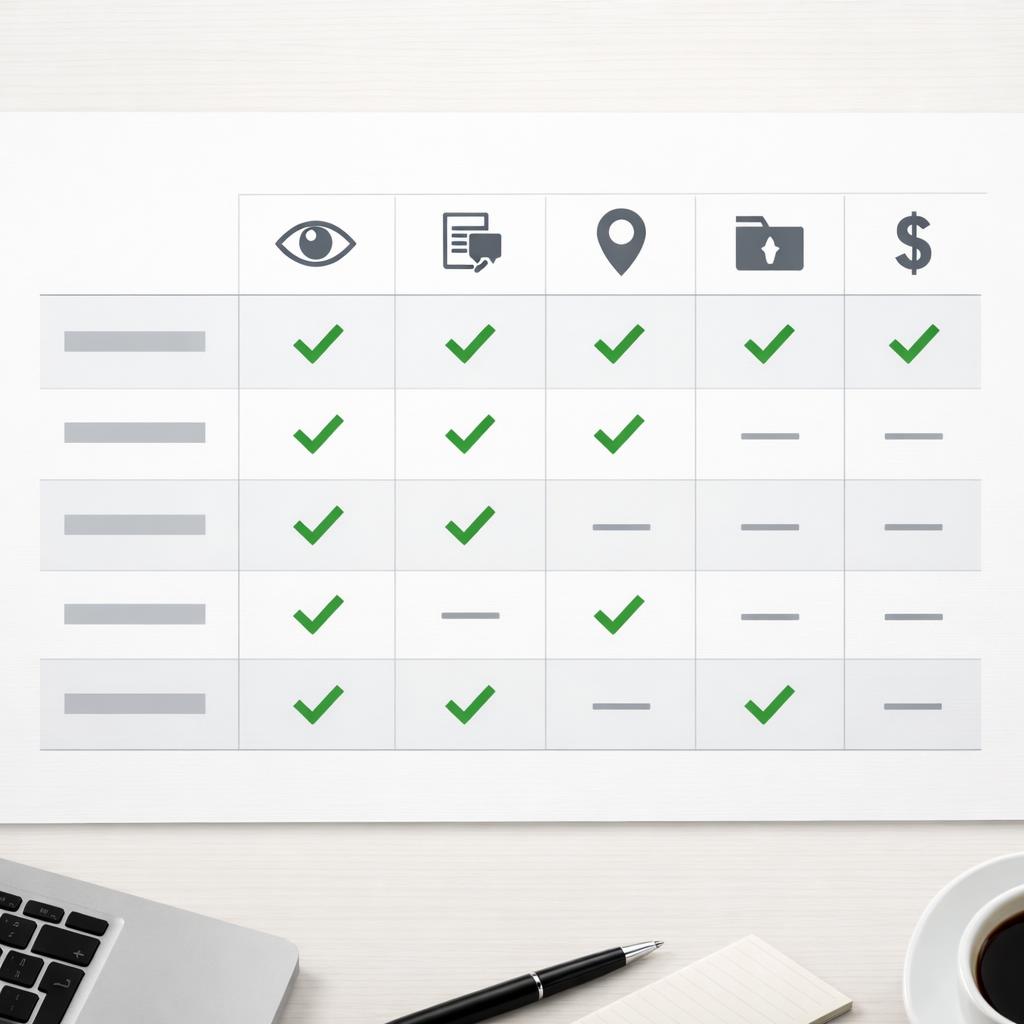
The fastest way to compare overview checker options is to shortlist a few tools and judge them on capture quality, location coverage, exports, and pricing. Accuracy does not mean a perfect mirror of every search result, because search experiences naturally vary. It means the tool gives you data that looks believable, can be reviewed, and includes enough context to explain differences by country, city, device, or keyword set. If a platform is vague about how data is collected or what its coverage limits are, take that as a warning sign.
Location support matters even more for publishers, agencies, and multi-market sites. A checker that samples only one narrow region can miss meaningful differences in how overview results appear. Export options also affect day-to-day usefulness. Agencies may need CSV files or client-ready reports, while in-house teams often need dashboards that make weekly updates easier. If you are comparing reporting requirements at the same time, the SEO reporting tool checklist can help frame those needs.
Review accuracy, location coverage, exports, and pricing
Pricing should fit the way your team actually works. Solo operators may want a lower-cost plan tied to a smaller keyword set. Agencies often need flexible user seats, client segmentation, and larger export limits. In-house teams may care more about shared access, stable reporting, and an easy review process than raw keyword volume alone.
Before you commit, test a small but varied keyword sample. Include branded, non-branded, informational, and transactional searches, then compare what the tool records against your own manual spot checks. That is one of the simplest ways to compare overview checker features without overspending. Choose the platform that saves time on recurring monitoring, not the one that floods your team with data nobody will use.
Which type of checker fits your workflow best
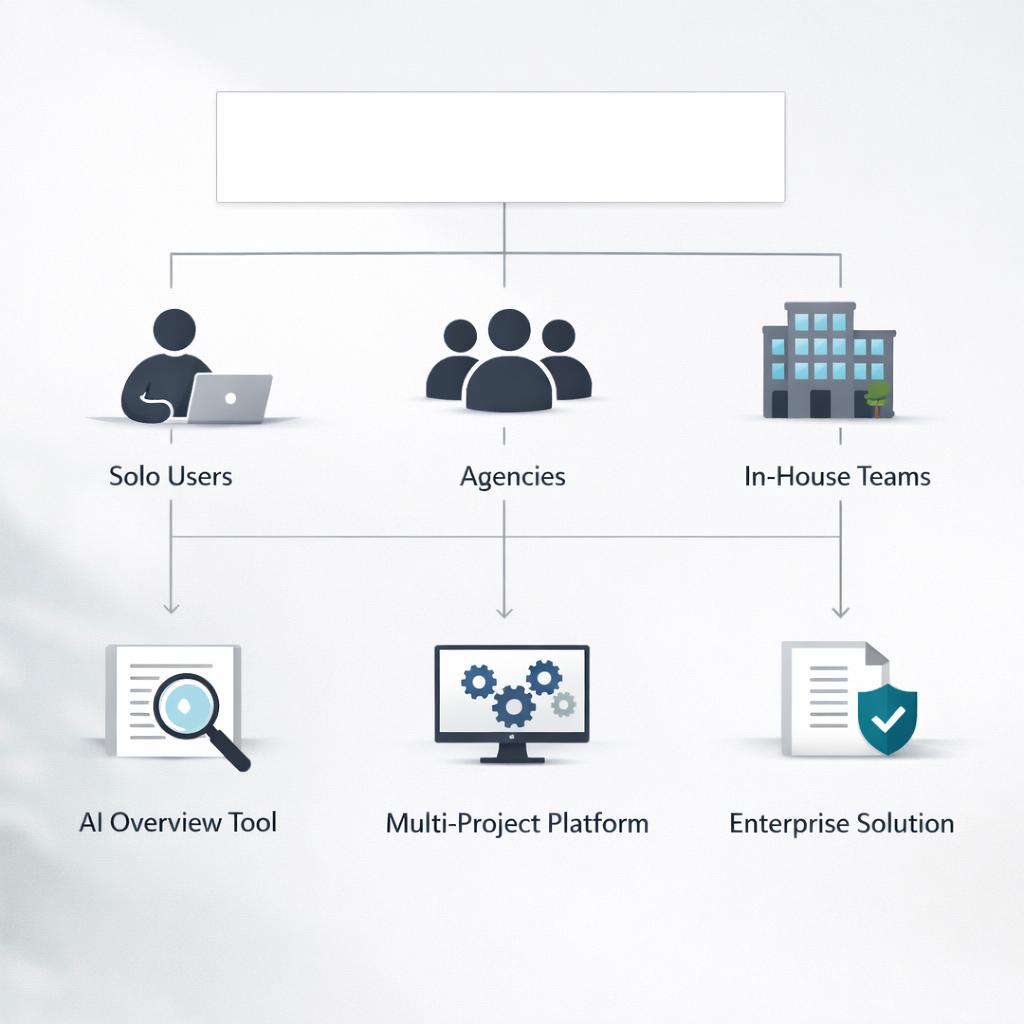
The right choice depends less on product messaging and more on how your team operates. Solo site owners usually do best with a lightweight checker that tracks a focused keyword set, keeps exports simple, and shows trend history without a long setup process. Agencies usually need stronger segmentation, multi-location support, and reporting outputs that can be reused across clients. In-house teams often benefit from tools that balance visibility monitoring with collaboration, since writers, search teams, and leadership may all need to review the same findings.
If you are narrowing down several options, ask one simple question: who needs to act on this data each week? The answer often reveals the best fit faster than a giant feature matrix. The best smart overview checker for one team can be excessive for another or too limited for a larger organization, especially when reporting cadence, market coverage, and review depth differ.
Best fit for solo site owners, agencies, and in-house teams
For solo users, ease of use, low maintenance, and a clear view of citation presence usually matter most. For agencies, scalable exports, flexible location coverage, and client-friendly reporting are more important. For in-house teams, look for repeatable analysis, dependable change tracking, and a setup that makes cross-team communication easier. A simple decision path often works well: start with team size, then reporting needs, then location coverage, and finally budget.
No matter the team type, avoid choosing based only on big claims. Search results move quickly, and no checker removes all uncertainty. The strongest option is the one that helps you verify patterns fast, explain findings clearly, and make better decisions without extra manual work.

Conclusion
The best smart overview checker is rarely the one with the longest feature list. It is the one that reliably tracks overview appearances, captures source citations, preserves history, and matches the way your team reviews search visibility. For most buyers, the smartest approach is to compare a few tools against real keywords, check how they handle location and device differences, and confirm that exports and pricing support the work you actually do.
Keep your evaluation centered on visibility, verification, and usability, and the choice becomes much easier. Whether you need an overview visibility tracking tool for a smaller site or you are trying to compare overview checker features across larger platforms, practical clarity will usually beat complexity.
FAQ
What is the most important feature in an overview checker?
The most important feature is dependable visibility tracking backed by clear evidence. A checker should show when overview results appear for your target queries, whether your site is cited, and how that presence changes over time. Historical comparisons are especially useful because they help separate short-term movement from more meaningful gains or losses.
Can a basic rank tracker replace an overview checker?
Usually not. A standard rank tracker may show where a page ranks in traditional listings, but it often does not capture overview presence, citation details, or result changes in a way that supports deeper analysis. If overview-style search results matter to your strategy, a dedicated checker is more likely to provide the context you need.


