

If you want an smart humanizer for blog posts that still sound natural, the goal is not to strip out your voice or publish a barely reviewed draft. It is to take rough writing and make it clearer, smoother, and easier to read while keeping the point, tone, and personality that make the post worth reading. A helpful tool can reduce stiffness, tighten awkward phrasing, and improve flow so readers stay with you from the first paragraph to the last.

That matters whether you publish on a company site, write for clients, or manage a growing content library. When you compare options, look past speed and focus on trust. Does the rewrite sound like a person with something useful to say? Start with basics like how to improve blog readability, then test whether a humanizer makes your draft more conversational without making it bland.
What makes blog writing sound natural to readers
Natural blog writing feels guided, not manufactured. The reader moves from one idea to the next without tripping over awkward transitions or overly formal phrasing. Strong posts use clear structure, varied sentence length, and examples that sound grounded in real experience. They are direct without feeling cold, polished without sounding generic, and specific enough to build confidence.
If you are comparing a humanizer for blog posts that sound natural, judge it by what it preserves as much as what it changes. The best rewrites keep your meaning, your point of view, and the details that make the piece believable. A simple test is to read the draft aloud. If it sounds like something you would actually say to a client, customer, or subscriber, it is probably close. If it sounds oddly formal or too perfect in every sentence, it still needs work.
Signs a rewritten draft still feels stiff or generic
Watch for repeated sentence patterns, broad claims with no support, and filler language that could fit almost any brand. A stiff draft often looks clean on the surface but lacks texture. It may remove the examples, opinions, or small details that make your writing sound credible. Another common issue is a flat tone from beginning to end. Real blog posts usually have some rhythm. Some sections should feel brisk and practical, while others can slow down to explain a key point.
If the rewrite removes humor, trims every opinion, or replaces specific wording with safe corporate language, the result may be smoother but less effective. Readers do not just want correctness. They want clarity with a human point of view.

How to evaluate a humanizer for tone, clarity, and brand voice
The best way to evaluate a tool is to test it on a full post, not a single paragraph. A short sample can hide problems that show up later, such as repetitive structure, washed-out tone, or missing context. Use a draft that reflects your normal style and audience. Then compare the original and revised versions side by side.
Start with tone. Does the rewrite still sound like your publication, or does it slide into generic marketing language? Next, check clarity. Good edits simplify tangled sentences, improve transitions, and make paragraphs easier to scan. Then review voice. If your post has a distinct perspective, niche expertise, or a specific level of formality, those qualities should remain intact. This is also a good moment to revisit your standards for how to build a consistent brand voice across writers and content types.
Pay close attention to what changed. Helpful edits usually include better pacing, less clutter, and stronger flow between ideas. Less helpful edits replace concrete phrases with vague ones, smooth away expertise, or add unnecessary padding. If your content serves a specialized audience, accuracy and nuance matter as much as readability. A strong tool should support your editorial process, not override it.
Simple checks for flow, sentence variety, and authenticity
Use a short checklist every time you review a rewritten post. First, scan for sentence variety. If every sentence is roughly the same length or shape, the post will feel mechanical. Second, check transitions. Each paragraph should lead naturally into the next instead of feeling stitched together. Third, look for authenticity. Do the examples, references, and opinions still sound like they came from your team?
It also helps to ask one practical question: is the new version easier to read, or is it simply different? That distinction matters. If you are learning how to make blog writing sound more human, this side-by-side review will quickly show which edits improve clarity and which ones erase personality.
Conclusion
Choosing an smart humanizer for blog posts that still sound natural comes down to a simple standard: does it help your writing sound more like a thoughtful person and less like an unfinished draft? The best options improve readability, flow, and tone while leaving room for your examples, judgment, and brand voice. They do not need to produce a perfect final version on their own to be valuable.
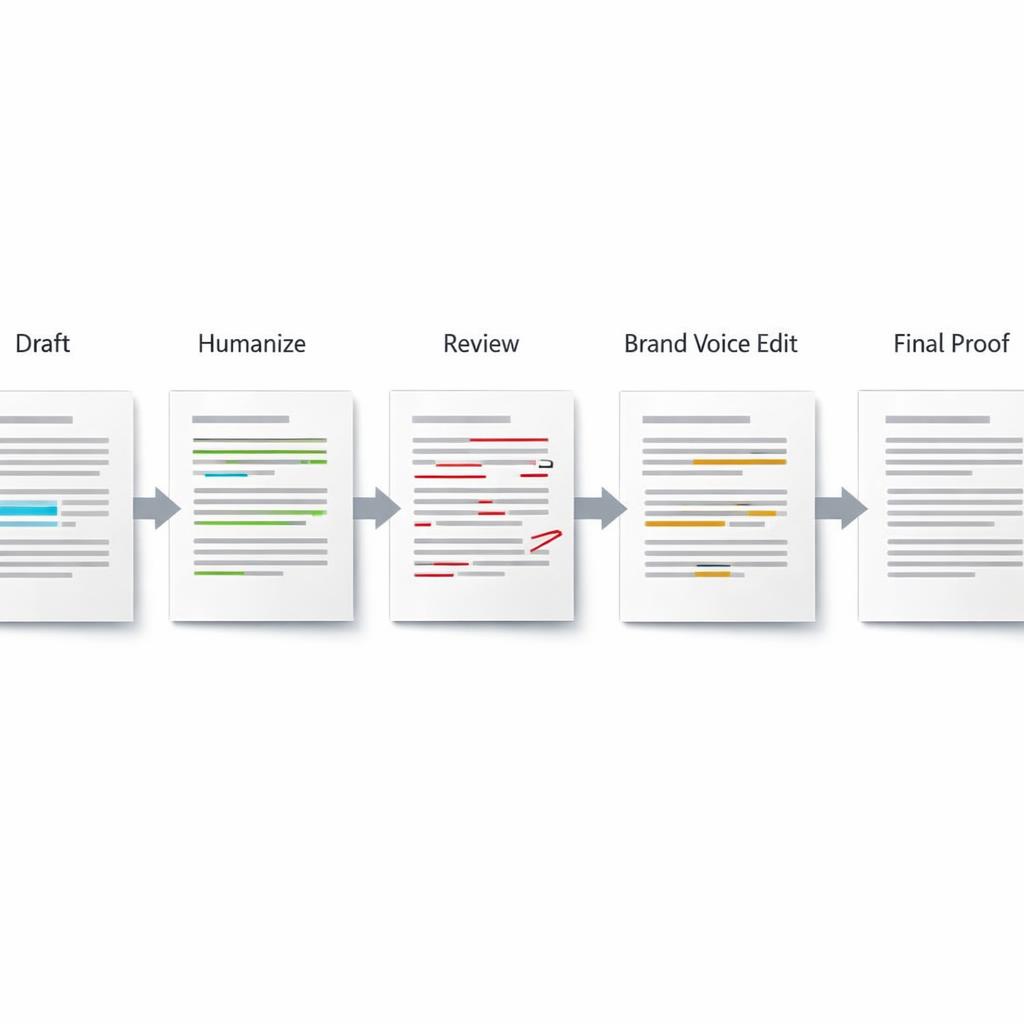
A practical workflow usually works best. Draft first, run a focused rewrite, check facts, edit for voice, and proofread at the end. Keep instructions specific, such as asking for clearer transitions or tighter paragraphs, instead of requesting a total style makeover. For opinion-led, technical, or research-heavy posts, manual revision should still lead. If you test tools on real articles, read the results aloud, and stay selective about what you keep, you will publish posts that feel smoother without losing originality.

FAQ
What features should I look for in a blog post humanizer?
Look for tone control, stronger readability, better sentence variety, and reliable meaning retention. The best option should make a draft easier to read without stripping out useful detail or turning your voice into something generic.
Can a humanizer keep my brand voice consistent?
It can help, but consistency still depends on your editing process. You will usually get better results when you pair the tool with clear voice guidelines and a final human review before publishing.
How can I tell if a rewritten blog post sounds too generic?
Read it aloud and look for vague wording, repeated phrasing, and missing specifics. If the article could sit on almost any website with no real changes, it probably needs another manual pass.
Should I use a humanizer on every blog post?
Not always. It is most useful for rough drafts, high-volume publishing, or posts that need smoother flow. For technical topics, original research, or strong opinion pieces, lighter use and more hands-on editing are usually the safer choice.


